Open Nav

Ordering printed circuit boards from China has become standard practice for engineers and businesses worldwide. The combination of competitive pricing, fast turnarounds, and advanced manufacturing capabilities makes Chinese PCB fabs an attractive choice. But none of that matters if your Gerber files are a mess. The Gerber format is the universal language between your design and the factory floor, and preparing it correctly is the single most important step to avoid delays, defects, and frustrating back-and-forth with your manufacturer.
In this guide, we walk through every layer, every file, and every common pitfall you need to know before uploading your Gerber package to a Chinese PCB Fabrication partner.
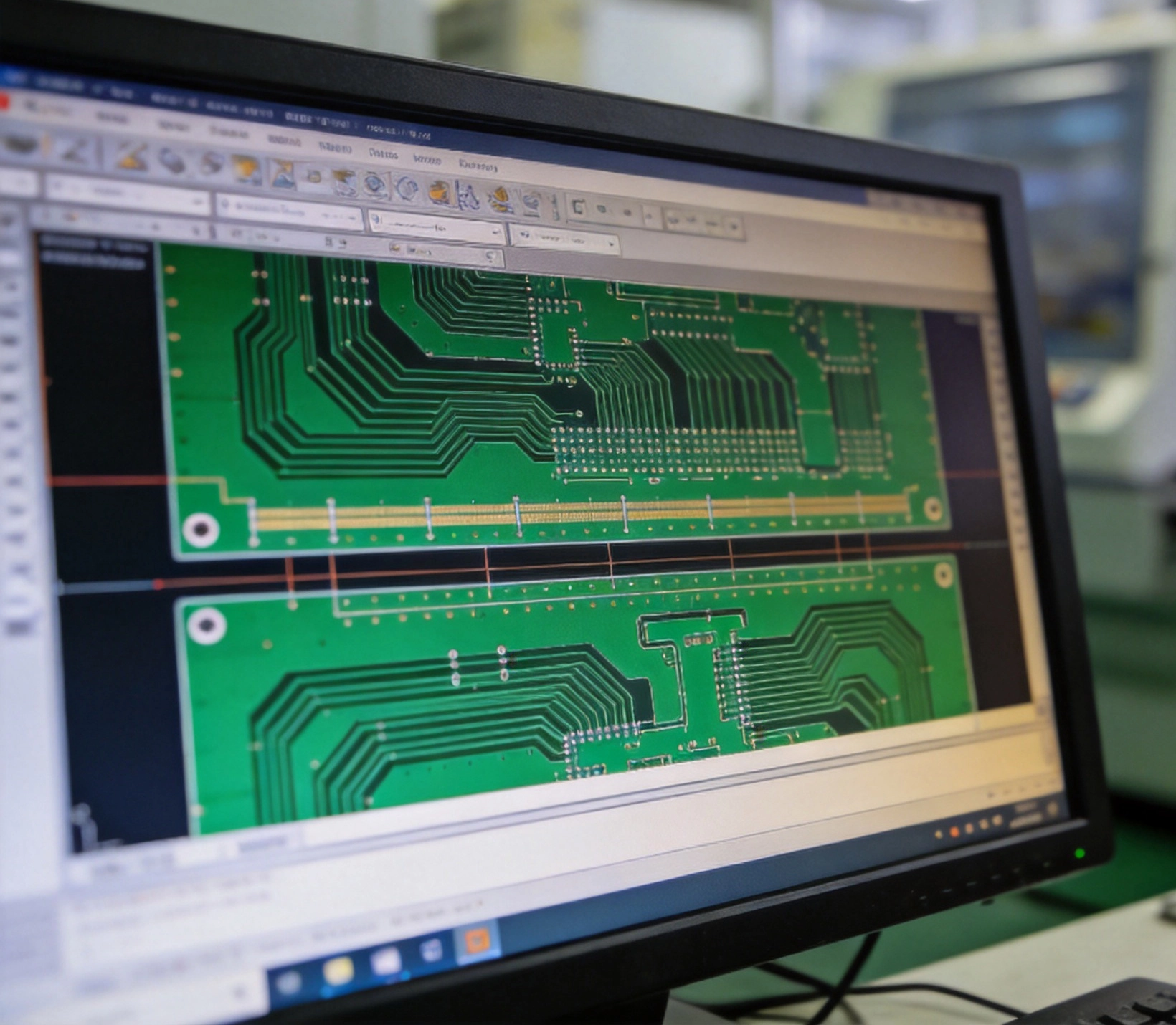
Gerber files are open-standard vector image files that describe each physical layer of a PCB. Originally developed by Gerber Scientific, the format (now officially RS-274X) uses aperture definitions and draw/flash commands to represent copper traces, solder masks, silkscreen legends, drill hits, and more.
When you send a PCB order to a factory in Shenzhen, Dongguan, or anywhere else in China, the first thing their CAM engineer does is load your Gerber files into their pre-production software. If the files are incomplete, inconsistent, or use outdated formats, the entire process stalls before it even starts.
Think of Gerber files as the construction blueprint for your board. A missing layer is like a missing page in that blueprint — the builder has to guess, and guessing on a PCB is expensive.
A complete Gerber package for a standard double-sided PCB includes at minimum the following layers. Each one must be a separate file with a clear, conventional name:
Missing even one of these layers can delay your order by days while the factory emails you asking for clarification. Chinese fabs run on tight schedules — a missing file on Friday might push your delivery to the following week.
Chinese PCB manufacturers deal with thousands of orders daily. Consistent, human-readable file names help their CAM team identify each layer at a glance. While most modern factories auto-detect layers, using standard naming conventions eliminates ambiguity.
Here is a widely accepted naming pattern:
| Layer | Common Names |
|---|---|
| Top Copper | boardname.GTL, boardname.F.Cu |
| Bottom Copper | boardname.GBL, boardname.B.Cu |
| Top Solder Mask | boardname.GTS, boardname.F.Mask |
| Bottom Solder Mask | boardname.GBS, boardname.B.Mask |
| Top Silkscreen | boardname.GTO, boardname.F.SilkS |
| Bottom Silkscreen | boardname.GBO, boardname.B.SilkS |
| Board Outline | boardname.GKO, boardname.Edge.Cuts |
| Drill File | boardname.TXT, boardname.drl |
Notice the pattern: the same base name followed by a three-letter extension that describes the layer. Avoid creative names like myboard_final_v3_top_copper_really_final.gbr — they only slow down the CAM review.
After years of working with Chinese PCB fabs, certain errors show up again and again. Here are the top offenders and how to fix them before you upload.
Always export in RS-274X (Extended Gerber) format. The older RS-274D format requires a separate aperture list file, and many modern CAM systems do not support it. If your EDA tool still defaults to the old format, change it. Every major Chinese fab expects RS-274X.
This is the number-one cause of production delays. Your board outline must be a closed contour on a dedicated layer. Do not rely on the copper layer or solder mask to define the edge — the routing machine needs explicit edge cuts.
If your outline has gaps or overlapping segments, the CAM software may interpret the shape incorrectly, resulting in boards that are routed to the wrong dimensions.
Drill files must match the coordinate format of your Gerber files. The most common issue is a unit mismatch — Gerber files in millimeters but the drill file in inches, or vice versa. Always verify:
When silkscreen legend overlaps bare copper pads, the ink can interfere with solderability. Most CAM tools clip silkscreen automatically, but not always. Check for silkscreen text or outlines that extend onto exposed pad areas. This is especially common with component reference designators placed too close to pads.
RS-274X embeds aperture definitions directly in the file header. If your export produces separate aperture list files (.apr), make sure they are included in your ZIP package. Better yet, ensure your EDA tool embeds them — this is the default in KiCad, Altium, and recent versions of Eagle.
If your design origin (0,0 coordinate) is far away from the actual board geometry, some CAM systems have trouble fitting the data into their workspace. Center the board near the origin before exporting. It takes five seconds and saves potential headaches.
Never send Gerber files to a factory without reviewing them first. A free Gerber viewer is your best insurance policy. Here are the most reliable options:
During your review, check the following:
Catching a misaligned drill file on your own screen is far cheaper than receiving 500 boards where nothing lines up.
Working with China-based manufacturers introduces a few additional requirements that may differ from Western fabs.
Many Chinese fabs prefer to handle Panelization themselves using their in-house tooling. If you send pre-panelized Gerber files, it can complicate their process — especially V-cut scoring and fiducial placement. Unless you have very specific Panelization needs, provide single-board Gerber files and let the factory panelize according to their standard guidelines.
If your design requires Controlled Impedance (50Ω, 100Ω differential, etc.), most Chinese fabs will ask for a separate impedance control document or stackup specification. Include this information in your order notes, not embedded in the Gerber files themselves. The Gerber format has no native way to express impedance requirements.
Specify your acceptance criteria upfront. The default for most Chinese fabs is IPC-A-600 Class 2. If your application requires Class 3 (medical, aerospace, automotive), state this clearly when placing the order — it affects their inspection procedures and, accordingly, the price.
Chinese CAM engineers are skilled, but they cannot read your mind. If a particular feature is intentional (for example, a copper pour with unusual spacing, or a non-standard pad shape), add a readme.txt to your Gerber ZIP package explaining it. This prevents the factory from "correcting" something you deliberately designed.
The final step is packaging everything into a single ZIP archive. Here is what it should contain:
Do not nest files in subdirectories. Place everything in the root of the ZIP. Do not include your native EDA project files (.kicad_pcb, .SchDoc, .brd) unless the factory specifically requests them — Gerber files alone are sufficient for fabrication.
Most Chinese fabs accept uploads through their web portal, email, or cloud storage links. File size is rarely an issue — even complex multilayer designs typically produce ZIP packages under 1 MB.
Once your files reach the factory, here is the typical flow:
The CAM review step is where most problems surface. Submitting clean, well-organized Gerber files dramatically reduces the chance of pushback at this stage, which translates directly to faster delivery.
Preparing Gerber files is not the most exciting part of Pcb Design, but it is arguably the most consequential step in the manufacturing pipeline. A well-prepared Gerber package — complete layers, consistent formats, clear naming, and a verified board outline — is the difference between a smooth production run and a week of email ping-pong with your factory.
Chinese PCB manufacturers have invested heavily in advanced CAM systems and skilled engineers. They are ready to build your board. Your job is to give them a blueprint that leaves nothing to interpretation. Follow the guidelines in this article, verify your output before uploading, and you will find that the fabrication process runs exactly as it should — smoothly, predictably, and on schedule.
No. Gerber files are the industry-standard manufacturing format. Chinese fabs do not need your native KiCad, Altium, or Eagle files. Gerber files contain everything required for fabrication. Only send native files if the factory explicitly requests them for design review or assembly purposes.
Most Chinese fabs accept both units, but you must ensure consistency across all files in your package. If your copper layers are in millimeters but your drill file is in inches, the CAM software will misinterpret hole positions. Pick one unit system and stick with it throughout.
Open your Gerber files in a viewer and check the outline layer independently. It should show a single, closed shape with no gaps, overlapping segments, or stray lines. The outline should exactly match the intended board dimensions with no extra geometry.
In most cases, no. Chinese fabs typically prefer single-board files and handle panelization in-house using their own tooling. Pre-panelized files can complicate V-scoring, tab routing, and fiducial placement. Provide single-board Gerber data and specify your panelization requirements in the order notes instead.
The safest choice is 3:3 or 4:4 absolute coordinates in millimeters. This is the most widely supported format across Chinese CAM systems. Avoid incremental (relative) coordinates — they are technically valid but less commonly used and more error-prone during CAM processing.
Heavy Copper PCB Etching: Challenges, Tolerances, and Precision SolutionsSeptember/10/2026

PCB Fabrication China: A Complete Guide for Global BuyersMay/18/2026

China vs. Local PCB Suppliers: Analyzing Cost, Quality, and Lead TimeJuly/22/2026

Understanding Surface Finishes: ENIG, HASL, OSP, and Immersion SilverJuly/21/2026
Laser Drilling vs. Mechanical Drilling: Precision in HDI ManufacturingJuly/07/2026
Microvias vs. Through-Holes: Choosing the Right Tech for Your Multilayer BoardAugust/06/2026
Introduction to Flexible Printed Circuit Boards (FPC): Beginner's GuideMay/18/2026
PCB Prototype Manufacturing in China: Complete GuideMay/18/2026